chrisstrange1

This user hasn't shared any biographical information
Homepage: http://chris-strange.com
Cover Art for "The Man Who Crossed Worlds"
Posted in Uncategorized on August 1, 2011
It’s a hell of a feeling, seeing your characters for the first time. Of course, you see them in your head all the time, and you do your best to get those images onto the page, but it’s never quite the same as actually seeing the character with your own eyes.
As the sort of guy whose stick figures send small children running in terror, it amazes me how visual artists can convey so much information instantly. So when the cover art for my upcoming urban fantasy novel popped into my inbox, I was practically doing a jig (you don’t want to see me dancing; trust me, it’s not a pretty thing).
The cover is both fun and dark, full of motion and action, and unashamedly pulpy. Most importantly, it doesn’t take itself too seriously.
In short, it IS my novel.
I offer my sincerest thanks to my artist, Hiep Ha Dzung, for creating such awesome artwork. I’m incredibly grateful to have had the chance to work with him.
Perhaps if people are interested I’ll do a blog post in the future about how I went about commisioning an artist. But for now, without further ado, I’ll show you the artwork. I hope you like it as much as I do.

All Miles Franco wants is a cold beer and a bit of peace and quiet. What he’s got is an empty wallet, a shoebox apartment in a city run by gangsters, and a job that looks set to put him in an early grave. Miles is a freelance Tunneler, a man who can open portals to transport people from Earth to an alternate dimension known as Heaven. Not the real Heaven, you understand, the one with angels and harps and lists of who’s been naughty and who’s been nice. This Heaven is a hell of a lot stranger.
When the cops haul Miles downtown for smuggling the natives of Heaven to Earth illegally, they offer him a choice: help them bring down a mysterious drug lord and his interdimensional drug-smuggling operation, or face a long stretch in the pen. Which, of course, is no choice at all.
But when Miles starts playing police lapdog, he soon figures out this ain’t no ordinary drug he’s dealing with. Some nasty people are willing to spill a lot of blood to protect their interests, and Miles is about to learn that nosing around in gang business is a dangerous job in a city where everyone’s on the take and the gangsters play for keeps.
So much for that peace and quiet.
THE MAN WHO CROSSED WORLDS
Coming Fall 2011
Harrison Ford Settles a Feud with Chewbacca
Posted in Uncategorized on July 28, 2011
Poor Chewie. He deserved so much better.
Thorin's Entire Dwarf Company From The Hobbit
Posted in Movies on July 19, 2011
If you’ve been watching the interwebs, you might have seen some of the tantalising pictures of Thorin’s band of dwarves from Peter Jackson’s upcoming movie The Hobbit: An Unexpected Journey. With the release of the picture of Thorin Oakenshield and his sweet-looking sword Orcrist, the Goblin-cleaver at TheOneRing.net, we finally have the full company of thirteen dwarves.
Jackson and the crew are taking an interesting tack with the look for the dwarves, not falling into the trap of making a group of Gimli-lookalikes. Each dwarf is distinct, and in my opinion they look absolutely fantastic. I’ve heard a few grumbles around the place about the departure from the traditional gruff-looking thick bearded dwarf, especially with respect to Kili (played by Aidan Turner). Sure, his beard may be short and some could argue that he’s too good-looking, but hey, you can’t argue that he still looks like he could kick some goblin ass. Plus, I won’t deny others their eye-candy.
The costumes and weapons look to be up to the stupidly high standards we’ve come to expect from Jackson and Co, and everything looks to be on track for an awesome couple of movies. I don’t know about you, but I’ll be rushing into the theatre the first chance I get, giggling like a Tolkien geek.
 Oin and Gloin
 Bofur, Bifur and Bombur
 Dori, Nori, and Ori
 Fili and Kili
 Balin and Dwalin
 Thorin Oakenshield
So what do you think of the dwarves? Are you as excited as I am?
Brutal Zombie Destruction – First Clip of The Walking Dead Season 2
Posted in Television on July 18, 2011
Haven’t been getting enough zombie-related action in your life lately? The first season of The Walking Dead was pretty awesome, even if it did deviate quite a bit from the comics, and it looks like they’re not going to be shy about the violence this time either.
On a related note, I totally want a Rick Grimes action figure.
No E-reader? No Problem!
Posted in tips on June 26, 2011
Hey you. Yeah, you. Come over here. I’ve got a secret to share with you. Come on, just a little bit closer.
You ready? Okay, here goes.
I don’t own a Kindle.
I don’t own a Nook, or a Kobo, or a Sony ereader, or any cheap knock-off versions of the above.
Shocking, isn’t it? I intend to get one one day. A good quality e-reader has a lot of advantages: super ridiculously long battery life, e-ink screens that don’t hurt your eyes, the ability to perform all the necessary equations to perfect your race of flying monkeys. But for now, I am completely ereader free.
And yet, I read ebooks all the time. I’m going to show you a few different ways you can turn gadgets you probably already have into ereaders (and buy my books).
iPhone/iPod Touch/iPad/Android device
So apparently anyone who’s anyone has one of these thingamajigs. If you’ve got one, you’re in luck; you’ve got a damn good ereader. Here’s a few of the different apps you can use:
 Kindle App
The Kindle isn’t just a physical ereader that you can order from Amazon. There are also a number of apps for different devices you can download. If you’ve already got an Amazon account or are going to set one up, this is probably the best choice of app. You can access the Amazon Kindle store directly off your iThing, and any books you buy will be stored in an archive so if you buy an actual Kindle or want to read your ebooks on a different device, you can do so quickly and easily. Here’s how to get started with the Kindle app:
- Go into the app store and search for “Kindle”. Download the app.
- Open up the app and sign in with your Amazon account. If you don’t have an account, you can sign up.
- You can access the Kindle store either through Safari (or Android browser) or from the Kindle app (which will open it in the browser anyway). The Amazon Kindle store is optimized for mobile browsers, so you can search for the title or author you want. Or if you find a link to an Amazon book page on Twitter or the net, you can go directly to the page.
- If you have a credit card linked to your Amazon account, things get ridiculously easy now. Had a look at the book and decided you want to check it out? Either buy it immediately with the link that says “Buy Now with 1-Click” or read the first chapter or so first by clicking on “Try a sample”. Easy!
- The sample or full ebook will automatically be delivered wirelessly to the Kindle app on your iThing. Either continue shopping or go back to your Kindle app. Your new book will download and appear within a few seconds.
- Tap the book title within your Kindle library to open it up, and away you go! Within the Kindle app you can swipe to turn pages, or tap on the center of the screen to bring up options such as changing font size and color.
- Congratulations! You now have an ereader!
 Stanza
Maybe you don’t really like Amazon. They do eat babies after all, or so I’ve been told. No worries. We’ll go at it a different way. Like the saying goes, there’s an app for that!
- The story here is pretty much the same as for the Kindle app. Go to your app store, search “Stanza”, and download the app.
- Now you’ve got two ways to get books. The easiest way is to do it directly from Stanza. From your home screen, tap on the “Get Books” tab down the bottom. This should bring you to the Catalog.
- There’s a few different bookstores that sell via Stanza, but the best one if you’re looking for excellent works by independent authors (such as myself) is SmashWords.
- Once you’re in SmashWords you can browse by author, category, title, or just search. I find if you’re trying to look for a specific author, it works better if you use the “Last name, First name” format (e.g. Strange, Chris)
- Once you’ve found a book you can download a sample by tapping on the button at the top right that says “Download”, or buy a full copy.
- If you choose do buy a full copy, it will open the book page in your browser. You’ll have to create a Smashwords account. Then the book will be imported directly into Stanza, and you can start reading straight away.
- Your other option for loading books into Stanza is to manually upload them from your computer (called side-loading). To do this you can download any ebook in EPUB format from the website of your choice (Smashwords and Kobo are good options). When your iThing is plugged into your computer and it is syncing with iTunes, simply drag the ebook from your computer onto your device in iTunes.
 Other apps
Other popular choices for ereader apps include the Barnes and Noble Nook app (only available in the US) and the Apple iBooks app. The processes for downloading and using these are similar to what I’ve described above for the other app. You may want to experiment to find the app that best suits you.
Blackberry
Kindle also has an app for Blackberry. I’m not personally familiar with the device, but you can find out more here.
No device at all?
Maybe you don’t really trust all these newfangled electro-gizmos, or maybe you would just rather spend your hard-earned cash on basic food supplies than fancy touch screen devices. You’re not completely out of luck. Granted, those iThings and Androids make pretty nifty ereaders, but there’s still one device we haven’t talked about. You’re probably staring at it right now.
 That’s right, it’s your computer.
Unless you have a netbook, it may not be the most portable of ereading devices, but damn near everyone has one, and if you don’t, you’re probably not reading this anyway.
Kindle, Stanza and Nook all offer desktop versions of their ereading apps. Check out the links and download away. The best thing about the Kindle and Nook apps is that they will automatically sync all of your devices that are under the same account. So you can be reading my book on your computer before work while you check your emails, then hop on the bus with your iPhone and continue reading from where you left off. Brilliant!
Another option is Adobe Digital Editions. It supports EPUB and PDF formats, and is a great choice if you don’t intend to be reading anywhere but your computer.
If you’re even too lazy to download an app, Smashwords offers you the choice of downloading your purchased book in various other formats such as RTF (for reading in a word processor), plain text, which you can read with anything, or HTML, for viewing online.
Conclusions
So there you have it. Now you’ve got no excuse not to join the ebook revolution and download a bunch of awesome new ebooks. You can now buy your books cheaply, easily, and instantly. Why wouldn’t you?
Get amongst it.


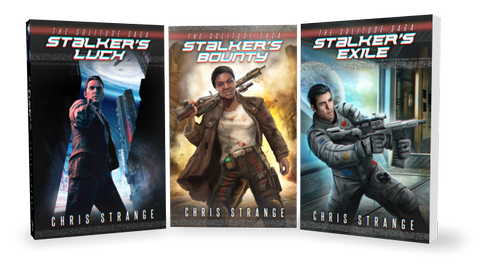
The Solitude Saga
Miles Franco Urban Fantasy

Standalone Novels


 Chris Strange and Harry St. John